Cross Stitch for Canva
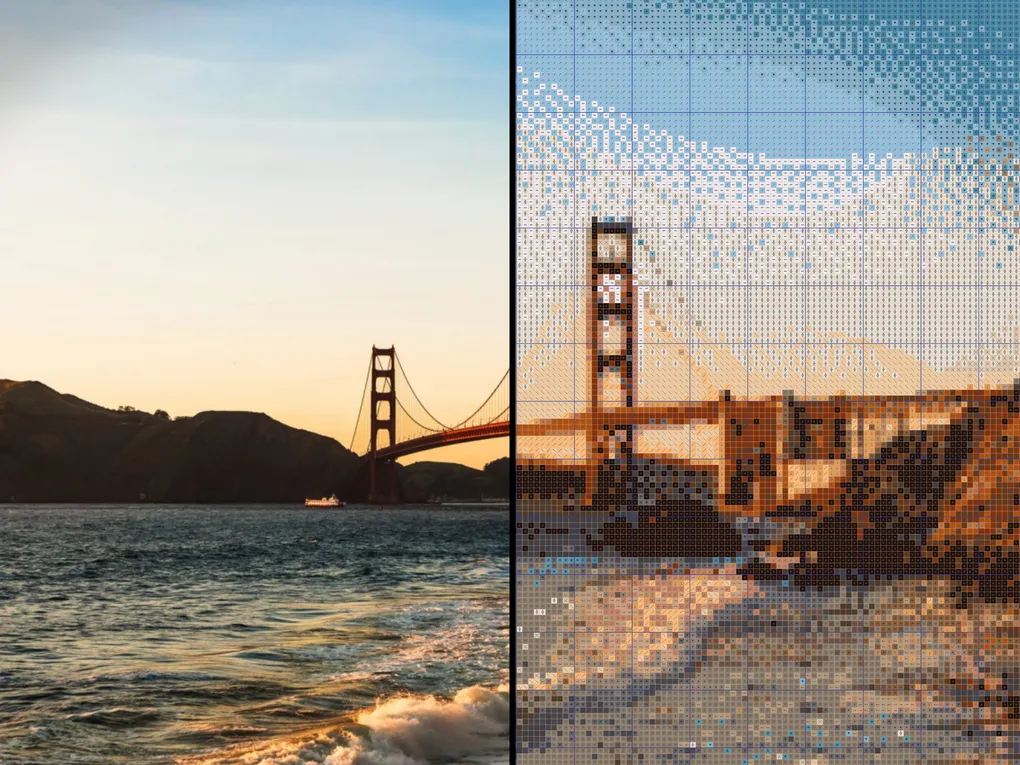
Cross Stitch is a Canva app that transforms your images into printable cross stitch patterns.
Welcome!
Cross Stitch Pattern Generator is a Canva app that transforms your photos and illustrations into beautiful cross stitch patterns. With a single click, you can convert almost any image into a stitch chart complete with symbols, a floss color key, and everything you need to begin stitching.
Getting started is easy:
- Search for Cross Stitch in the Canva Apps marketplace and open it.
- Upload an image to the app.
- Choose your settings, such as the number of thread colors and pattern size.
- Preview the generated cross stitch pattern.
- Click Add to design to insert the finished pattern into your Canva project.
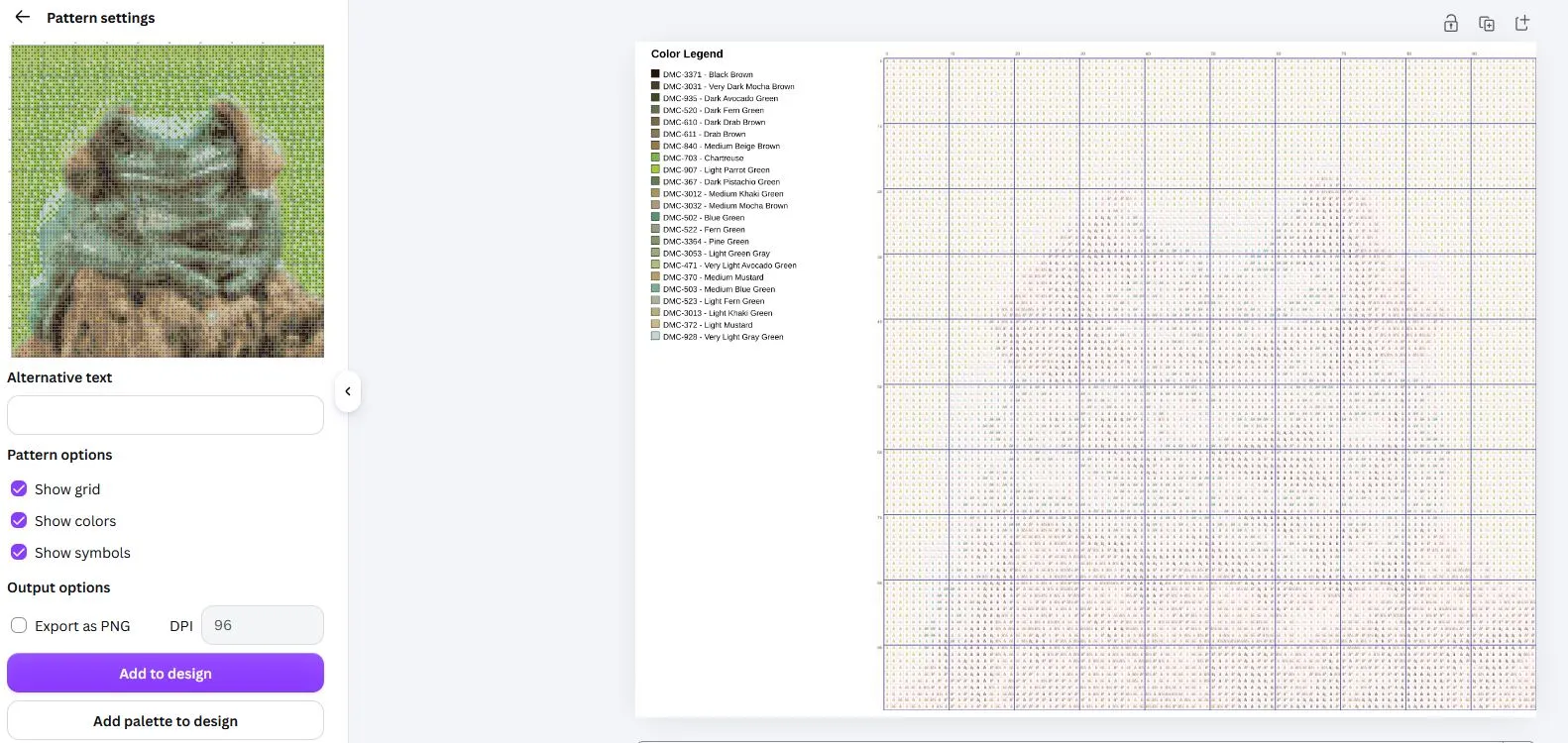
Every generated pattern is added as a new asset in your Canva design, leaving your original image unchanged. Experiment with different settings to create patterns ranging from simple beginner-friendly projects to highly detailed works of art.
Features
Cross Stitch helps you create clean, easy-to-read patterns suitable for stitchers of all experience levels.
- Automatic Pattern Generation – Convert photographs and illustrations into cross stitch charts.
- Symbol Charts – Each thread color is represented by a unique symbol for easy stitching.
- Floss Color Key – Generate a matching legend showing every color used in the pattern.
- Adjustable Detail – Create simple patterns for beginners or detailed patterns for advanced stitchers.
- Printable Output – Produce high-quality patterns ready for printing or digital viewing.
What is Cross Stitch?
Cross stitch is a form of counted-thread embroidery where X-shaped stitches are sewn onto an even-weave fabric following a grid. Each square in the pattern represents a single stitch, while symbols indicate which thread color to use.
Cross stitch patterns are popular for:
- Personalized home décor.
- Handmade gifts.
- Family portraits.
- Wedding and baby samplers.
- Relaxation and mindfulness.
Tips
- Choose images with clear subjects and good contrast for the best results.
- Using more thread colors creates smoother shading and greater detail.
- Using fewer thread colors produces simpler patterns that stitch more quickly.
- Experiment with different pattern sizes to balance detail and finished project dimensions.
- Preview the pattern before exporting to ensure text and very small details remain recognizable.