Audio Filters
Audio Filters is a Canva app that lets you apply audio effects to your recordings and audio clips directly inside Canva.
Welcome!
Audio Filters is a Canva app that lets you enhance and transform your audio without leaving your design. Apply professional audio effects with just a few clicks and instantly add the processed audio back into your Canva project.
Getting started is easy:
- Search for Audio Filters in the Canva Apps marketplace and open it.
- Select or upload an audio file.
- Choose one or more filters and adjust their settings to achieve the sound you want.
- Preview the result.
- Click Add to design to insert the processed audio into your Canva project.
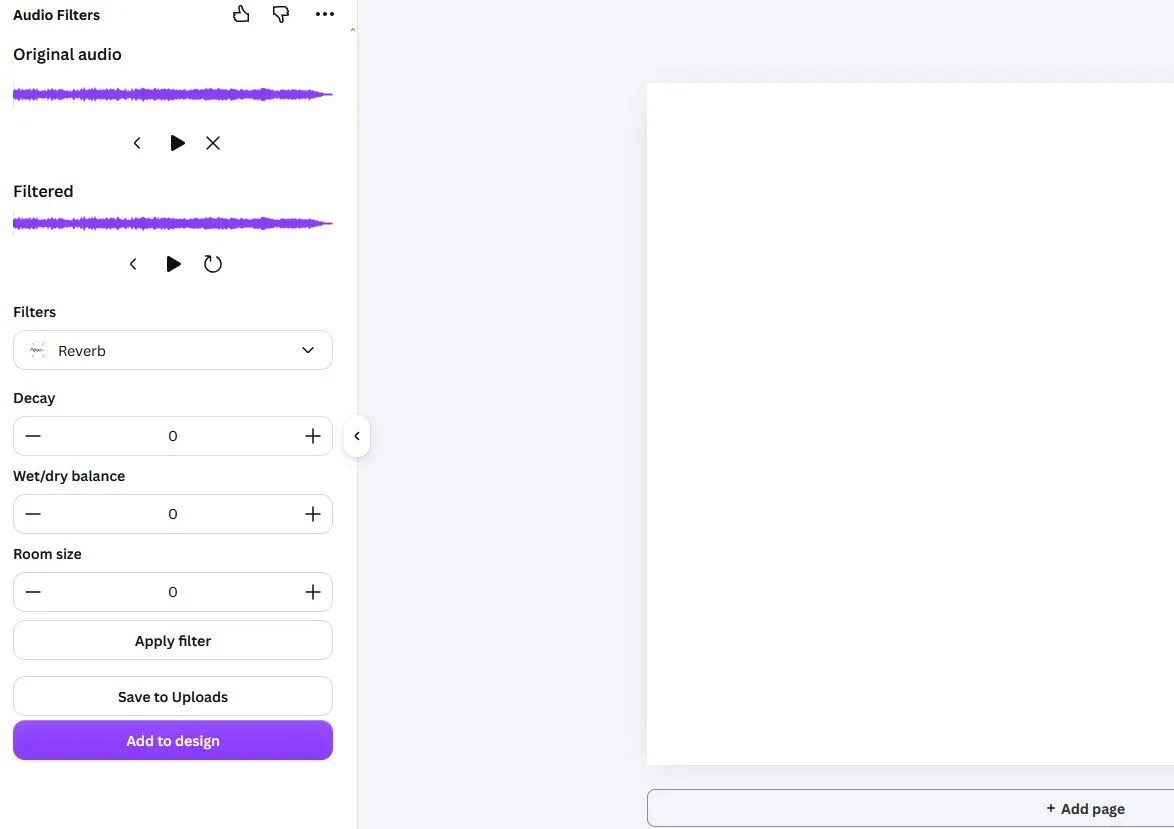
The original audio remains unchanged. Every time you process an audio clip, a new version is generated and added to your Canva assets, allowing you to experiment freely without losing the original recording.
Available Filters
Audio Filters includes a growing collection of audio effects for cleaning up recordings, adjusting their sound, and creating creative effects. Current filters include:
- High Pass Filter – Removes low-frequency content below a selected cutoff frequency.
- Low Pass Filter – Removes high-frequency content above a selected cutoff frequency.
- Notch Filter – Eliminates a narrow range of frequencies, useful for reducing hum or unwanted tones.
- Band Filter – Isolates a specific frequency range while attenuating frequencies outside that range.
- Reverb – Adds the natural ambience of a room or hall to your audio.
- Pitch Correction – Adjusts the pitch of vocals or instruments to the nearest musical note.
- Amplify – Increases or decreases the overall volume of the audio.
- Normalize – Automatically adjusts the audio level to achieve a consistent peak volume without clipping.
- Reverse – Reverses the audio so it plays from end to beginning.
New filters and audio effects may be added in future updates, bringing even more ways to enhance and transform your recordings.
Why use Audio Filters?
Whether you're creating presentations, social media videos, podcasts, educational content, or marketing materials, high-quality audio helps your content stand out. Audio Filters lets you improve recordings directly inside Canva without requiring external audio editing software.
The app is designed to be simple enough for beginners while offering powerful processing options for more advanced users.
Tips
- Preview your changes before adding the processed audio to your design.
- Experiment with different combinations of filters to create unique effects.
- Keep your original recording—you can always process it again with different settings.